Google Adds Gemini AI Voice to Gmail, Docs & Keep: Everything You Need to Know
Google Adds Gemini AI Voice to Gmail, Docs & Keep : Google has introduced new Gemini AI voice features for Gmail, Google Docs, and Google Keep. Learn how Gemini Live can search emails, create documents, organize notes, and help students and professionals work faster using only their voice.
With a significant new AI update, Google is improving the conversational nature of its Workspace apps. For Gmail, Google Docs, and Google Keep, the business has included new voice features powered by Gemini that let users communicate with these programs using natural speech rather than just typing and manual navigation. The new features, which center on real-time voice interactions, assist users in organizing ideas, creating documents, searching their inboxes, and converting spoken ideas into useful notes. Google claims that these features, which are available to qualified Google AI members, are driven by its Gemini audio models.
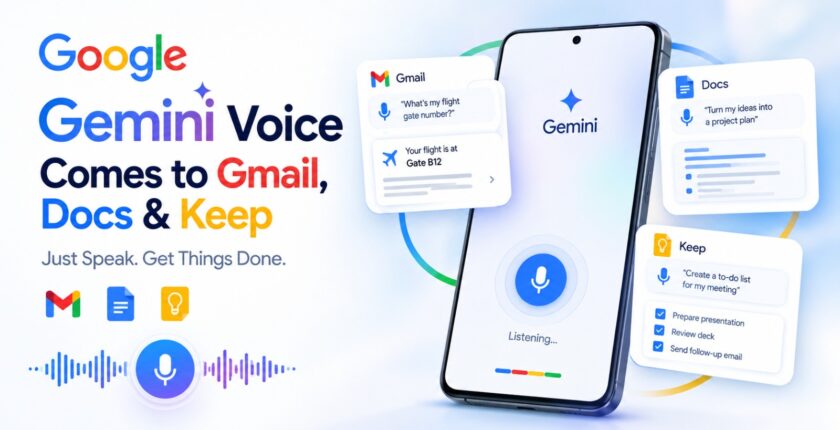
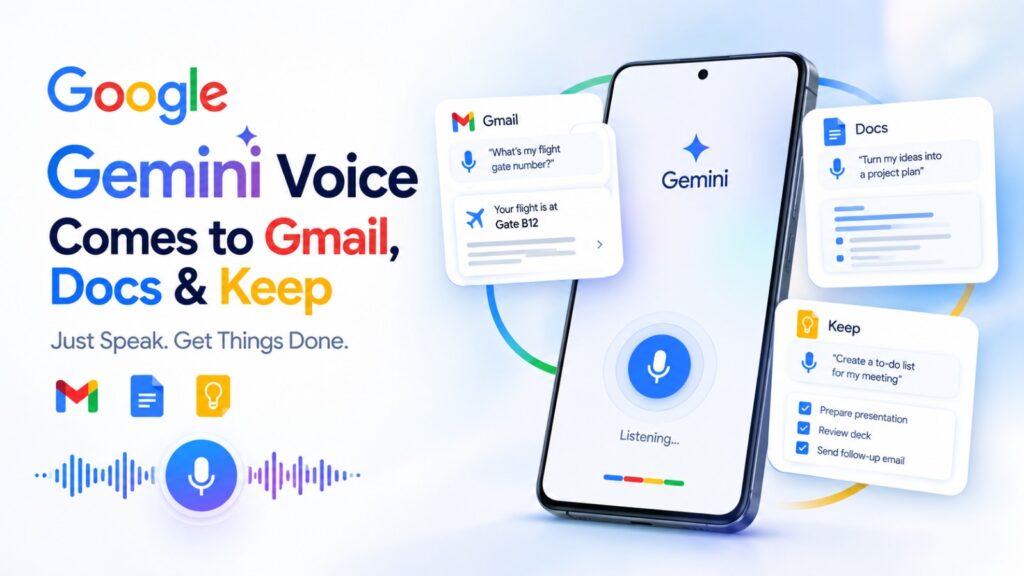
Because it modifies how users can interact with common productivity apps, the upgrade is noteworthy. A user can ask a question like, “What’s my flight gate number?” and Gemini will search through the inbox for the pertinent information instead of opening Gmail and painstakingly going through dozens of messages. Users can discuss ideas in Google Docs while Gemini assists in structuring them into a document. Users can talk freely on Google Keep, and Gemini will organize their thoughts into lists and notes. This might significantly speed up and simplify daily digital work for professionals, job seekers, and students.

1. Google Brings Gemini Voice to Gmail, Docs and Keep
The main highlight of Google’s recent update is the launch of conversational voice features in three key Workspace applications: Gmail, Google Docs, and Google Keep. Rather than viewing voice merely as a tool for speech-to-text transcription, Google presents these applications as interactive AI solutions capable of understanding verbal instructions and assisting users in completing tasks.
This allows users to interact with their Workspace applications in a more intuitive way. Instead of having to type exact commands or manually browse through menus, they can express their needs in casual language. Google claims that these new features were created to assist users in brainstorming, organizing their ideas, retrieving information, and accomplishing tasks using their voice.
2. Gmail Live Lets You Search Your Inbox With Your Voice
One of the most useful features is Gmail Live, which brings conversational search to the inbox. Users can ask questions naturally instead of manually searching through email threads. For example, someone can ask, “What’s my flight’s gate number?”, and Gmail Live can look through the user’s inbox and provide the relevant information.
This could be especially useful when users are busy or away from their computers. Imagine trying to find a confirmation email while traveling, searching for information about an upcoming meeting, or locating details buried inside an old conversation. Rather than remembering keywords and navigating search filters, users can simply ask Gemini what they want to know. Google’s broader Gemini experience is also expanding voice-based inbox actions such as searching, summarizing, starring, archiving, and deleting messages.
3. Google Docs Can Turn Spoken Ideas Into Structured Documents
Google Docs is getting a voice-based experience called Docs Live, designed to act as a hands-free thought partner. Users can speak naturally about an idea, brainstorm, or explain what they want to create, while Gemini helps transform that conversation into a more structured document.
This could be particularly useful for people who find it easier to speak than type. A student could explain an assignment idea verbally and use Gemini to organize it into sections. A professional could talk through a project proposal, meeting summary, report, or presentation outline without starting with a blank page. Google says Docs Live can also, with user permission, pull relevant information from Gmail, Drive, Chat, and the web to help develop the document.
4. Google Keep Can Turn Voice Notes Into Organized Lists
Google Keep is designed for capturing quick thoughts, reminders, shopping lists, tasks, and ideas. Google’s new Keep Live feature takes that concept further by allowing users to speak their thoughts naturally and have Gemini organize them into useful notes and lists.
This is especially useful when someone has a lot of ideas but does not want to stop and type everything manually. A user can essentially perform a voice “brain dump,” explaining several ideas or tasks in one conversation. Gemini can then help structure those thoughts into organized, actionable notes. For students, this could mean quickly capturing study ideas or assignment tasks; for professionals, it could mean turning a stream of thoughts after a meeting into a clearer task list.
5. This Is More Than Simple Voice-to-Text
It is important to understand that Google’s new features are not simply traditional speech-to-text transcription. Voice dictation converts spoken words into written text, while these Gemini-powered experiences are designed to understand the user’s intent and help perform a productivity task. That distinction is what makes the update more interesting from an AI perspective.
For example, if someone dictates, “I need to prepare for next week’s client meeting and remember to send the presentation, check the previous email conversation and make a list of the things we need to discuss,” a conventional dictation system would primarily transcribe those words. An AI assistant can potentially understand that the user is describing multiple tasks and help organize the information. This reflects Google’s broader movement toward AI agents and conversational productivity tools rather than AI systems that only generate text.
6. Why This Update Matters for Students
Students are one of the groups that could benefit significantly from these voice capabilities. Instead of typing every idea, students can talk through concepts, brainstorm assignments, organize study plans, or capture reminders. Google has also been expanding Gemini-powered tools for education and productivity, making AI increasingly integrated into the student workflow.
For example, a student preparing for an exam could use voice to explain which subjects need revision and turn those thoughts into an organized study checklist. Someone working on a college project could talk through an initial idea and use Docs to develop it into a structured document. The main advantage is not simply saving typing time—it is reducing the friction between having an idea and turning that idea into an organized piece of work.
7. Why Working Professionals Could Find Gemini Voice Useful
Working professionals also have plenty of potential use cases. Employees frequently deal with emails, meeting notes, project documents, reminders, reports, and task lists. Voice-based Gemini features could make it easier to manage these activities while moving between meetings, commuting, or working away from a keyboard.
A professional could use Gmail Live to find information inside an inbox, Docs Live to develop a report from spoken ideas, and Keep Live to turn quick thoughts into organized tasks. Google’s broader Workspace strategy is clearly moving toward AI that helps users find information, organize knowledge and complete work, rather than simply generating content when specifically prompted. Google says more than four billion people rely on Workspace applications such as Gmail, Docs and Drive, making these AI changes potentially significant at scale.
8. When Will Google’s Gemini Voice Features Be Available?
Google says the new conversational features are rolling out, with Gmail and Keep available to Google AI Plus, Pro, and Ultra subscribers, while Docs Live is available to Pro and Ultra subscribers. Google has also said the features are coming to Google Workspace business customers.
Availability may therefore depend on the user’s Google account, subscription level, location, and rollout status. This is important because the announcement does not mean every Gmail, Docs, and Keep user will immediately see the same voice functionality. Google is continuing to expand Gemini capabilities across its ecosystem, so availability is expected to change as the rollout progresses.
What Does Google’s Gemini Voice Update Mean for the Future of AI?
Google’s latest update represents a broader shift in how people interact with artificial intelligence. Early generative AI was primarily focused on text prompts and text responses. The next phase is increasingly about natural conversations, multimodal interaction and AI that can help complete tasks inside the applications people already use.
The Gmail, Docs and Keep update demonstrates this shift clearly. Instead of thinking about AI as a separate chatbot that users have to open and interact with, Google is embedding Gemini directly into everyday productivity tools. Users can speak naturally, provide context, and allow AI to help transform those conversations into useful outcomes.
Conclusion
Google’s new Gemini voice features for Gmail, Google Docs and Google Keep could make everyday productivity more conversational and accessible. Gmail Live can help users find information in their inbox using natural voice questions, Docs Live can turn spoken ideas into structured documents, and Keep Live can transform voice-based brain dumps into organized notes and lists.
For students and working professionals, the biggest advantage could be the reduction in friction between thinking, speaking and getting work done. Instead of stopping to type every email query, document idea, reminder or task, users can simply speak and let Gemini help organize the information. As Google continues integrating AI into Workspace, voice may become less of an optional input method and more of a natural interface for interacting with digital productivity tools.
What is Google’s new Gemini voice feature?
Google’s new Gemini voice features allow users to interact conversationally with Gmail, Google Docs and Google Keep. Users can use natural speech to search their inbox, develop documents, and organize notes instead of relying entirely on typing.
Can Gemini search Gmail using voice?
Yes. Gmail Live allows users to ask conversational questions about information in their inbox. For example, users can ask for details such as a flight gate number, and Gemini can search the inbox to find relevant information.
Can Gemini create documents from voice?
Yes. Docs Live is designed to let users speak through ideas while Gemini helps organize those thoughts into structured documents. With permission, it can also use relevant information from Gmail, Drive, Chat and the web.
Can Google Keep turn voice into a to-do list?
Yes. Keep Live can take spoken thoughts and help turn them into organized, actionable notes and lists. This makes it useful for capturing ideas, reminders and tasks without manually typing everything.