12 Free Google AI Tools Most People Still Don’t Know About in 2026
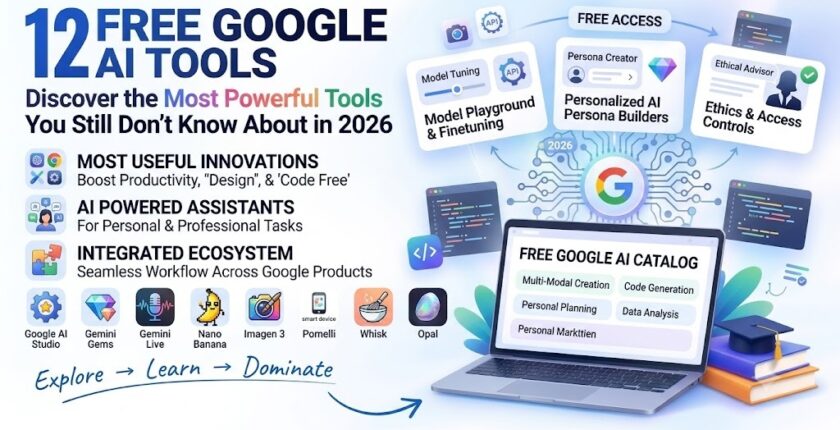
12 Free Google AI Tools : Discover 12 Google AI tools you can try in 2026, including Google AI Studio, Gemini Gems, Gemini Live, Nano Banana, Imagen, Pomelli, Whisk, Opal, and more.
Despite Google’s rise to prominence in the artificial intelligence space, many consumers still primarily connect Google AI with Gemini. However, Google has been creating and disseminating a far larger ecosystem of AI tools, models, trials, and developer platforms behind Gemini. These technologies can assist users with document research, AI application development, image and video generation, marketing content creation, website development, prompt experimentation, and workflow automation.
Google AI Studio might be a helpful resource for novices to learn how AI prompting operates. Users can investigate multimodal capabilities, test models’ responses, experiment with different instructions, and start translating successful experiments into apps. For some models and consumption levels, Google also offers a free tier; however, availability and restrictions vary according on the model and account setup.
Why should you use Google AI Studio?
Developers who wish to go beyond merely conversing with AI to actually creating with it will find Google AI Studio especially helpful. You can create API keys, test prompts, assess responses, and investigate how Gemini can be included into apps.
It is also a hands-on learning environment for students and future AI developers. Users may grasp quick design, multimodal AI, APIs, and application development by experimenting with actual models rather than merely learning theoretical notions.
2. NotebookLM / Gemini Notebook
What is NotebookLM?
Google’s AI-powered research and learning tool, NotebookLM, is made to operate with your own sources. Google now characterizes Gemini Notebook as a specialized area for organizing projects, sources, instructions, and ongoing discussions. The company has been incorporating NotebookLM capabilities more and more into its Gemini ecosystem.
Sources include PDFs, Google Docs, Google Slides, online URLs, text, Markdown files, YouTube URLs, and audio files are all compatible with the program. Because of this, it’s especially helpful when you want AI to deal with a particular set of data instead than just responding to queries from a generic knowledge base.
Also read this : What Is AGI? Understanding Artificial General Intelligence, How It Works, Benefits, Risks & Future
How can students and professionals use it?
NotebookLM can be used by students for comprehension of long documents, research papers, study notes, and test preparation. They can utilize AI-assisted summaries and source-based chats to find key ideas and arrange material rather of having to manually scan through dozens of pages.
Reports, business documents, research materials, meeting information, and project resources can all be analyzed by professionals using it. Google also promotes purposes such as company planning, learning new skills, exam preparation, and job application work.
3. Gemini Gems
What are Gemini Gems?
Gemini Gems are tailored versions of Gemini created to assist users with specific processes and repetitive chores. You can create a Gem with precise instructions and potentially include knowledge sources instead of writing the same instructions each time you initiate a discussion.
A content creator might make a “SEO Assistant” Gem, whereas a student would make a “Study Coach” Gem. A developer might make a Gem that adheres to particular coding standards, while a recruiter might make one for resume screening criteria.
Why are Gemini Gems useful?
Consistency is Gems’ greatest benefit. Making a personalized Gem can cut down on repetitive prompts if you ask AI to do the same kind of work over and over. Google lets users give their Gem a name, add knowledge files, give instructions, preview it, and save it for later use.
Because of this, Gems are very helpful for workflow automation and productivity. They can offer a reusable layer of instructions and context around Gemini for particular tasks, but they are not fully independent AI agents.
4. Gemini Omni
What is Gemini Omni?
Google’s AI video creation feature, Gemini Omni, is accessible via Gemini for users and plans that are compatible. According to Google, Gemini Omni is a methodology for creating and editing videos that combines text, pictures, and video using conversational instructions.
When allowed, users can utilize reference photos or movies to create videos based on prompts. Additionally, Google lists features like aspect-ratio settings, numerous editing interfaces, video-to-video editing, templates, and other creative activities.
What can Gemini Omni be used for?
AI video generation can be used by creators for marketing concepts, narrative, social media content, concept visualization, and creative experimentation. Users can describe the necessary changes in conversation rather than having to master complex video-editing tools for each trial.
It’s crucial to avoid characterizing Gemini Omni as completely free, though. As of right now, Google says that in order to access this video-generation capability, personal users must have an eligible Google AI plan. Additionally, availability may differ by area and account.
5. Firebase Studio
What is Firebase Studio?
Firebase Studio is Google’s cloud-based development environment designed to help developers build applications with AI assistance. It integrates development workflows with Firebase and Google services and includes Gemini-powered assistance for coding and application development.
Developers can use Gemini inside Firebase Studio to generate and modify code, explain programming concepts, update project files, run terminal commands, and interpret command output. It also provides integrations for services such as Firebase Hosting, Cloud Run, Gemini APIs, Google Maps, and Secret Manager.
Why is Firebase Studio useful?
For developers and students who wish to create AI-powered apps without manually configuring each development component, Firebase Studio can be especially helpful. AI support can be used by developers at any stage of the development process, beginning with an application workspace.
One significant recent development is Google’s announcement that Firebase Studio will expire on March 22, 2027, and that a switch to Google AI Studio and Google Antigravity is advised. As a result, while this tool is helpful to be aware of, it shouldn’t be positioned as Google’s long-term main development focus.
6. Gemini Live
What is Gemini Live?
Instead than depending solely on textual cues, Gemini Live allows users to engage organic, real-time audio discussions with Gemini. Users have the ability to ask questions, switch subjects, brainstorm, interrupt, and practice conversations.
In order to facilitate more participatory experiences, Google has now extended Gemini Live. Gemini can react to what people see when they share their camera view or screen, depending on the device and availability.
What can you do with Gemini Live?
Gemini Live can be helpful for multitasking, brainstorming, interview practice, learning, planning, and language practice. Users can continue a more organic back-and-forth dialog rather than pausing to type each inquiry.
A student getting ready for an interview might, for instance, practice responding to questions out loud. While strolling, a professional could come up with a business concept. A developer could have a casual conversation about a technical issue. According to Google, Gemini Live is a conversational experience that flows naturally and is intended for these kinds of exchanges.
7. Nano Banana
What is Nano Banana?
Google’s AI image-generation and image-editing tool, Nano Banana, is accessible via Gemini and associated Google AI experiences. According to Google, Nano Banana 2 can create and refine images and has capabilities including enhanced text rendering, character consistency, command following, and local image modifications.
Because of this, Nano Banana is especially appealing to artists who need to produce several iterations of a picture or make unique adjustments without having to start from scratch. The AI can be instructed by users to alter specific areas of an image, blend concepts, preserve character coherence, or produce fresh visual variations.
Who should use Nano Banana?
AI picture generation is useful for brainstorming and producing visual material for social media managers, marketers, designers, students, and content producers. For instance, a content developer might produce pictures for a piece, but a marketer would develop multiple marketing strategies.
Additionally, Google advises users to respect copyright and privacy rights while creating or sharing content. Therefore, before being published, AI-generated photos should be examined, especially if they depict actual people, goods, brands, or factual information.
8. Google Imagen
What is Google Imagen?
Google’s text-to-image AI algorithm, Imagen, uses natural language prompts to produce intricate visuals. With advancements in photorealism, fine details, artistic styles, typography, and image quality, Google DeepMind refers to Imagen 4 as its most recent version.
Imagen is not so much a stand-alone consumer tool as it is an AI model. Gemini, Whisk, Google AI Studio, and the Gemini API are just a few of the tools and developer experiences that Google offers for Imagen.
What can Imagen create?
From word descriptions, Imagen may create pictures, illustrations, concept art, marketing graphics, landscapes, characters, and other visual assets. People who need to quickly translate written ideas into visual concepts can benefit from its capabilities.
Text-to-image models like Imagen can greatly accelerate the initial phases of visual development for marketers and content producers. However, human evaluation is still crucial because generated photos may still contain errors or artifacts, especially with intricate compositions and minute details.
9. Google Pomelli
What is Google Pomelli?
Google Labs and Google DeepMind created Pomelli, an AI marketing tool, to assist small and medium-sized companies in producing content that is consistent with their brand. After analyzing a company’s website, it can produce a “Business DNA” profile that captures aspects like tone, fonts, colors, graphics, and visual identity.
Pomelli may then create marketing materials and campaign ideas using that brand knowledge. Additionally, Google now offers features like website creation and brand books.
Why is Pomelli useful for businesses?
Because professional branding and creative creation may be costly and time-consuming, small businesses frequently struggle to create consistent marketing content. Pomelli uses an organization’s current web presence as the basis for AI-generated content in an effort to partially address this issue.
Companies can use it for websites, advertising concepts, social media campaigns, product images, and other marketing materials. Pomelli is a public experiment, according to Google, therefore its capabilities and availability are subject to change.
10. Google Whisk
What is Google Whisk?
Google Whisk is an experiment by Google Labs that uses photographs as triggers to promote visual ideation. Whisk lets users submit photographs that depict elements like the subject, surroundings, and style rather than asking them to explain everything in a lengthy text question.
Whisk aims to improve the intuitiveness of visual experimentation. Instead of writing thorough descriptions for each generation, users can swiftly explore several creative routes by combining visual references.
Who can benefit from Whisk?
Anyone who thinks visually, including designers, marketers, artists, and makers, can benefit from using Whisk. For instance, you may present an image of a person, another that depicts an area, and a third that demonstrates a desired visual style, and then utilize those references to investigate a novel idea.
Additionally, Google has added animated features with Whisk, which uses Google’s video engine to create brief animations from created photos. Availability differs by account and nation.
11. Google Opal
What is Google Opal?
Google Opal is a Google Labs tool for exploiting natural language to create AI-powered mini-apps. Users can define what they want to develop and use Opal to create, edit, and share AI mini-apps rather than manually writing a full program from beginning. Opal is currently described by Google Labs as a tool for creating natural language-based AI mini-apps.
This is a significant change in the way applications are developed. Traditionally, understanding programming languages, interfaces, APIs, and deployment was necessary to create even a tiny application. Tools for creating natural language apps try to reduce such obstacle.
What can you build with Opal?
Small AI workflows and applications centered around particular tasks are available for users to test. For instance, a student may develop a learning tool, an entrepreneur could prototype an idea, or a content producer could develop a basic AI workflow.
Those who have a concept for an AI application but lack sophisticated programming abilities may find Opal particularly intriguing. Generated programs should be thoroughly evaluated before being used for critical tasks, and it should still be regarded as an experimental platform.
12. Google Lumiere
What is Google Lumiere?
Unlike popular standalone free AI tools like Gemini or Google AI Studio, Lumiere is a Google Research text-to-video generation research model. A space-time architecture created by Google’s Lumiere research was intended to produce coherent and realistic video motion from text and other inputs.
When writing an article about Google’s AI products, this distinction is crucial. Although Lumiere is important from the standpoint of AI research, it shouldn’t be characterized as a consumer application that anyone may open and use for free right now.
Why is Lumiere important?
Lumiere is significant because one of the most difficult problems in AI video creation has historically been producing consistent motion. A video model must retain consistency throughout time in addition to producing visually appealing individual frames.
Research like Lumiere advances the field of AI video production. A far more recent aspect of Google’s consumer-facing AI ecosystem is represented by the company’s current video-generation experiences, which include newer systems accessible through Gemini and Google Labs. Therefore, rather than being promoted as a free stand-alone product, Lumiere is better listed in this list as a significant Google AI research milestone.
Which Google AI Tool Should You Use?
The best Google AI tool depends on what you are trying to accomplish.
For Students
Gemini Notebook/NotebookLM is particularly useful for research, PDFs, study material, and source-based learning. Gemini Live can also help with conversational learning and brainstorming.
For Developers
Google AI Studio is a strong starting point for experimenting with Gemini models and APIs. Firebase Studio can also be useful for AI-assisted development, although developers should keep Google’s announced transition away from Firebase Studio in mind.
For Content Creators
Nano Banana, Imagen, and Whisk are useful for generating and experimenting with visual content. These tools can help with image concepts, variations, editing, and visual ideation.
For Businesses and Marketers
Google Pomelli is particularly relevant for businesses that want to generate branded marketing content and campaign ideas. Google describes its Business DNA approach as a way of grounding generated content in a company’s existing identity.
For No-Code AI Experiments
Google Opal is worth exploring if you want to turn an idea into a small AI-powered application or workflow using natural-language instructions rather than traditional programming.
Are These Google AI Tools Really Free?
It’s not always the case. This is a crucial thing to consider when talking about “free Google AI tools.”
Certain Google AI projects and products offer free access or free tiers, while others have usage restrictions, are only available in certain locations, or require qualified Google AI plans. For instance, Google AI Studio offers a Free Tier for specific Gemini models and use levels, while premium tiers offer greater restrictions and more features.
In a similar vein, the features, accessibility, and availability of experimental Google Labs products are subject to change. While tools like Whisk and Pomelli have their own availability requirements, Gemini Omni presently requires a valid Google AI plan for personal accounts in order to generate videos.
Therefore, the safest way to describe this list for SEO is “Google AI tools with free access, free tiers, or publicly available experiments” rather than claiming that every tool is completely free without limitations.
Conclusion
Gemini is just one part of Google’s vast AI ecosystem. Google is creating AI products for developers, students, marketers, creators, businesses, and regular consumers. These products range from Google AI Studio and Gemini Gems to Gemini Live, Nano Banana, Imagen, Pomelli, Whisk, and Opal.
The most crucial thing to realize is that these items don’t all use the same kind of technology. Imagen and Lumiere are examples of AI models or research projects; others are apps; still others are development environments; yet others are Google Labs experiments. It is simpler to select the appropriate tool and steer clear of deceptive promises when one is aware of this distinction.
The most crucial thing to realize is that these items don’t all use the same kind of technology. Imagen and Lumiere are examples of AI models or research projects; others are apps; still others are development environments; yet others are Google Labs experiments. It is simpler to select the appropriate tool and steer clear of deceptive promises when one is aware of this distinction.
What are the best free Google AI tools?
Some of the most useful Google AI tools with free access or free tiers include Google AI Studio, Gemini Gems, Gemini Live, Google Labs experiments such as Whisk and Opal, and Google’s AI research and creation ecosystem. Exact access and limits vary by product.
Is Google AI Studio free?
Google AI Studio offers a Free Tier for supported Gemini models and usage levels. Paid tiers are available for higher limits and additional capabilities.
Is NotebookLM free?
NotebookLM has offered free access, although available features and limits can vary. Google currently describes Gemini Notebook as part of its evolving AI-powered notebook experience.